

BOS Web Modules
One system for the whole business. Start with the modules you need today and add more as you grow. Every module shares the same customers, items, employees and accounts.
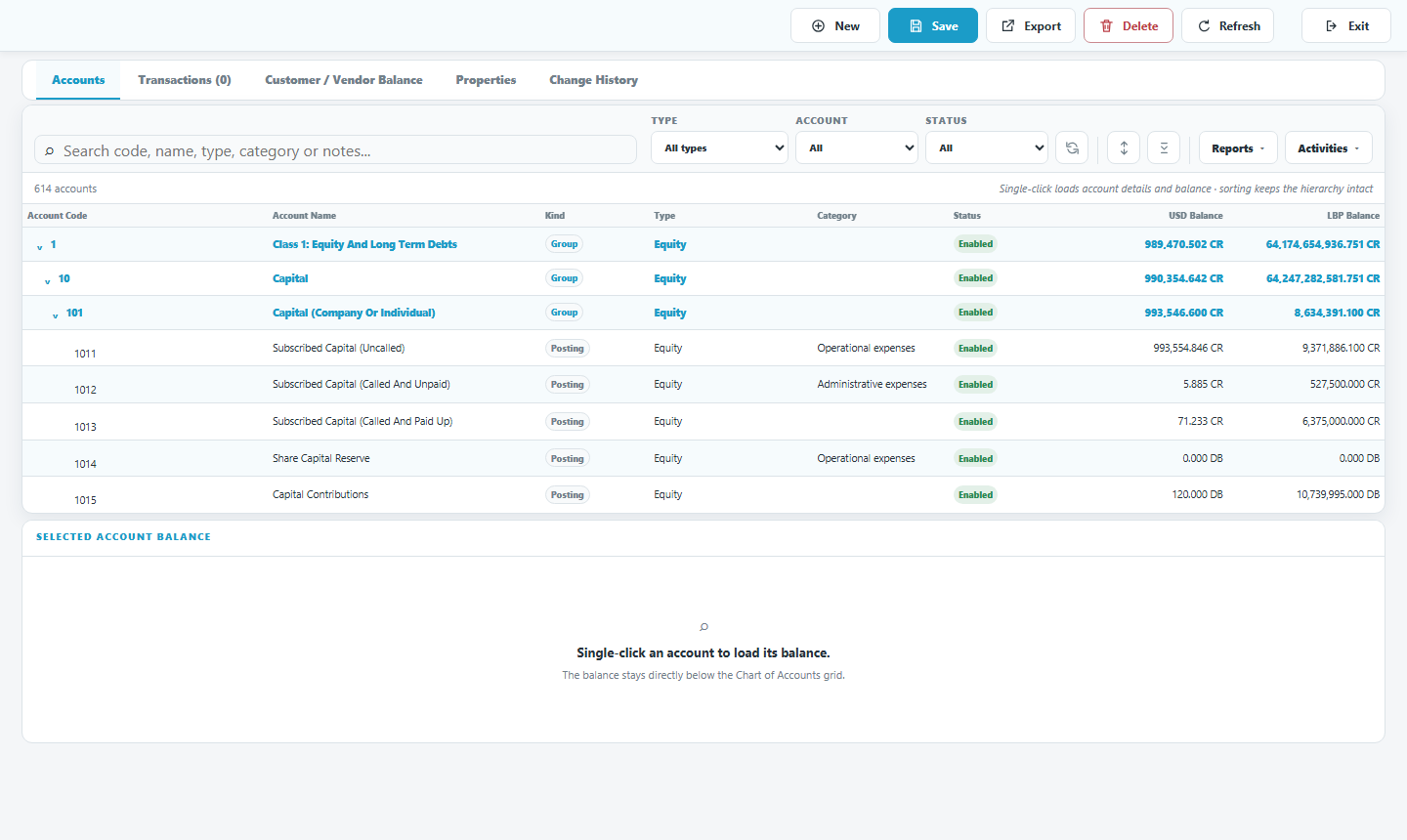
Accounting
The heart of BOS. Record every money movement once and see it everywhere: customer and vendor balances, bank accounts, branches, business units and your financial statements stay in step automatically.
- Journal vouchers, receipts, payments, debit and credit notes, with reusable templates
- Recurring journal entries, such as rent or a loan instalment, generated on every due date
- Allocation of receipts and payments against open invoices
- Approvals: payments and credit notes over a limit wait for a manager's OK, given in BOS or on the phone
- Cheques management with alerts for cheques coming due, and bank account reconciliation
- Chart of accounts, customers and vendors with live balances
- Any currency as your main and secondary currency, with exchange rates and difference of exchange
- VAT on every document and a VAT closing that always balances
- Branches and business units (cost centres) organized as a tree
- Budgets, project costing, fiscal years and sealing dates
- Year-end closing: revenues and expenses closed to profit or loss and the year locked, with a reopen right if a correction is needed
- Attachments on every document
Financial Reports
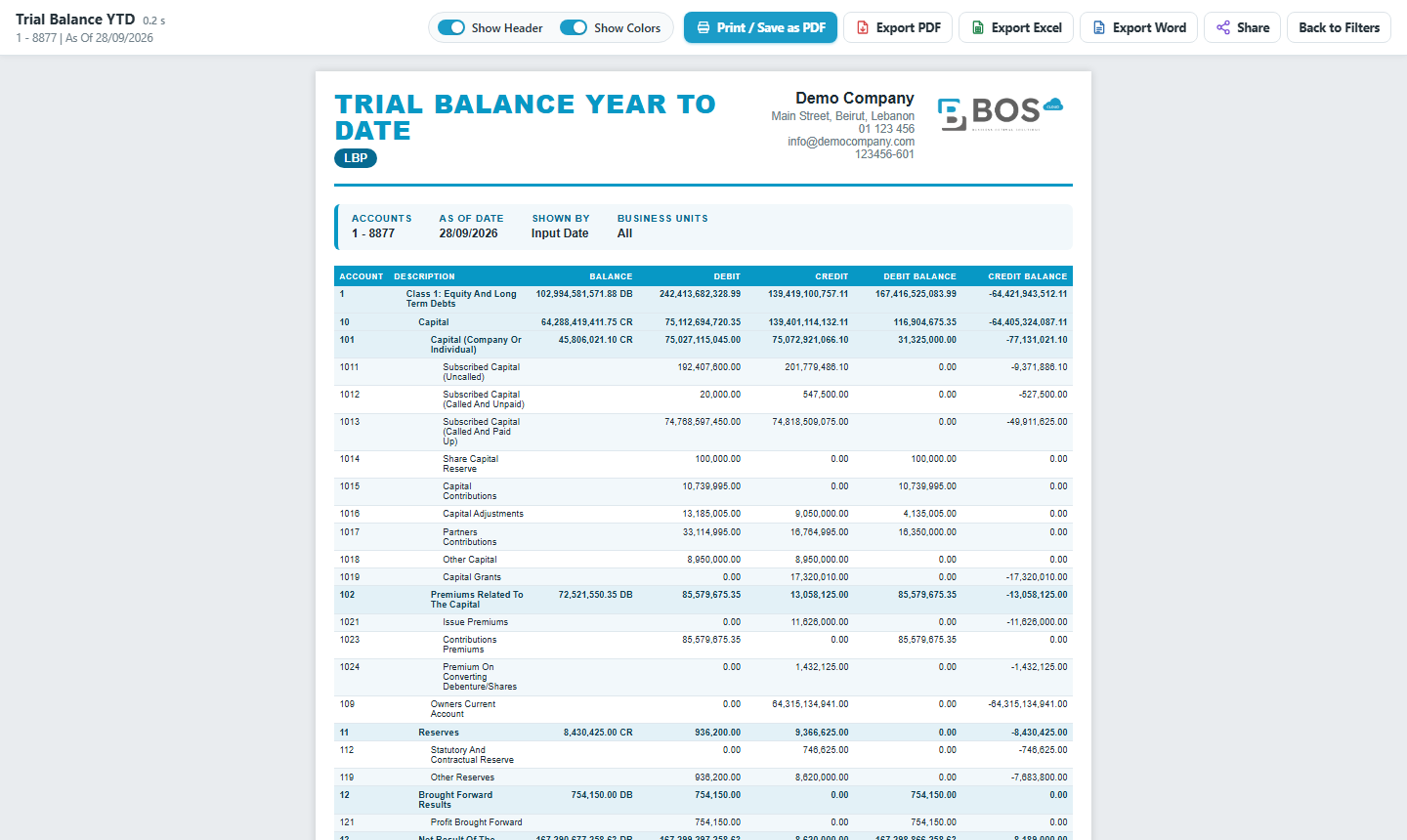
Every report your accountant and your management need, built on a clean modern layout with your company header, and filtered the way you work: by period, branch, business unit and currency.
- Trial balance for a period, year to date or month by month
- Balance sheet and profit & loss, also month by month
- Cash flow statement, general ledger and general journal
- Customer and vendor statements with the brought-forward balance
- Aging and overdue invoices, top customers and top vendors
- Budget versus actual, and project status with the budget beside the actual and the documents behind each line
- Print, save as PDF, export to Excel or Word, or share by WhatsApp, e-mail or SMS
- Your own report layouts per company, your colour and page footer, and an ink-saver print mode
- Printing on your pre-printed letterhead paper, and item documents on half an A4 page (A5)
Scheduled Reports
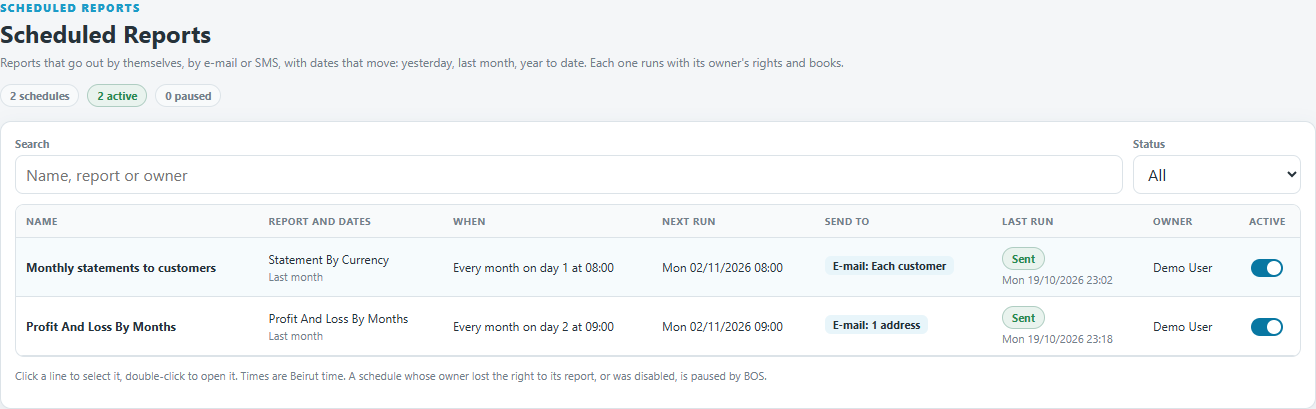
Choose a report, its filters and when it should go out, and BOS sends it every day, week or month with the right dates. Nobody has to remember to run it, and each report still respects the rights of the person who set it up.
- 65 accounting, stock and point of sale reports, sent by e-mail or SMS as a PDF
- Dates that move by themselves: yesterday, last week, last month, year to date
- Every day, week, month, quarter or year, at the time you choose, skipping weekends and holidays if you want
- One statement per customer, each sent to that customer
- Payment reminders: only the customers who owe more than an amount, or are late by more than a number of days
- A run history showing who received what, with Send again
- A Schedule button on every report, to schedule the report you are looking at
Fixed Assets
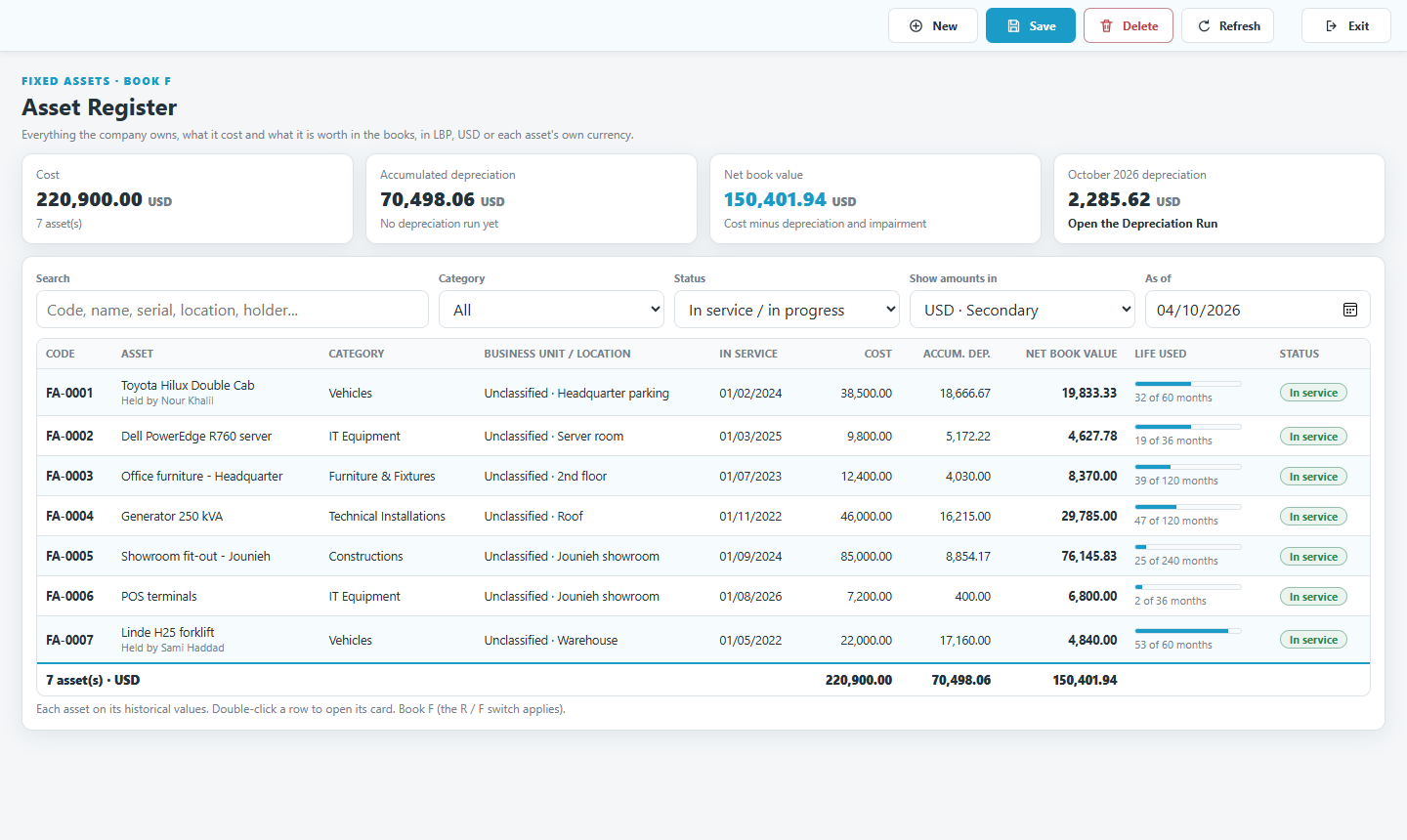
Know what the company owns, what it cost and what it is worth in the books today. BOS buys, depreciates, moves and disposes of each asset with the right accounting entry, so the asset register and your balance sheet always agree.
- Asset register with a card per asset: location, holder, serial number and full history
- Purchase of assets from a vendor, with customs and freight added to the cost and one card per unit
- Monthly depreciation in one click, straight line or declining balance, the first month by the days used
- Every asset kept in its purchase currency and in your main and secondary currencies
- Sale, scrap, transfer, revaluation and impairment, each with its voucher
- Assets under construction put into service when ready
- A books check that finds anything booked on the asset accounts outside the register
- Fixed assets register, depreciation schedule and the movement table your auditor asks for
Commitments
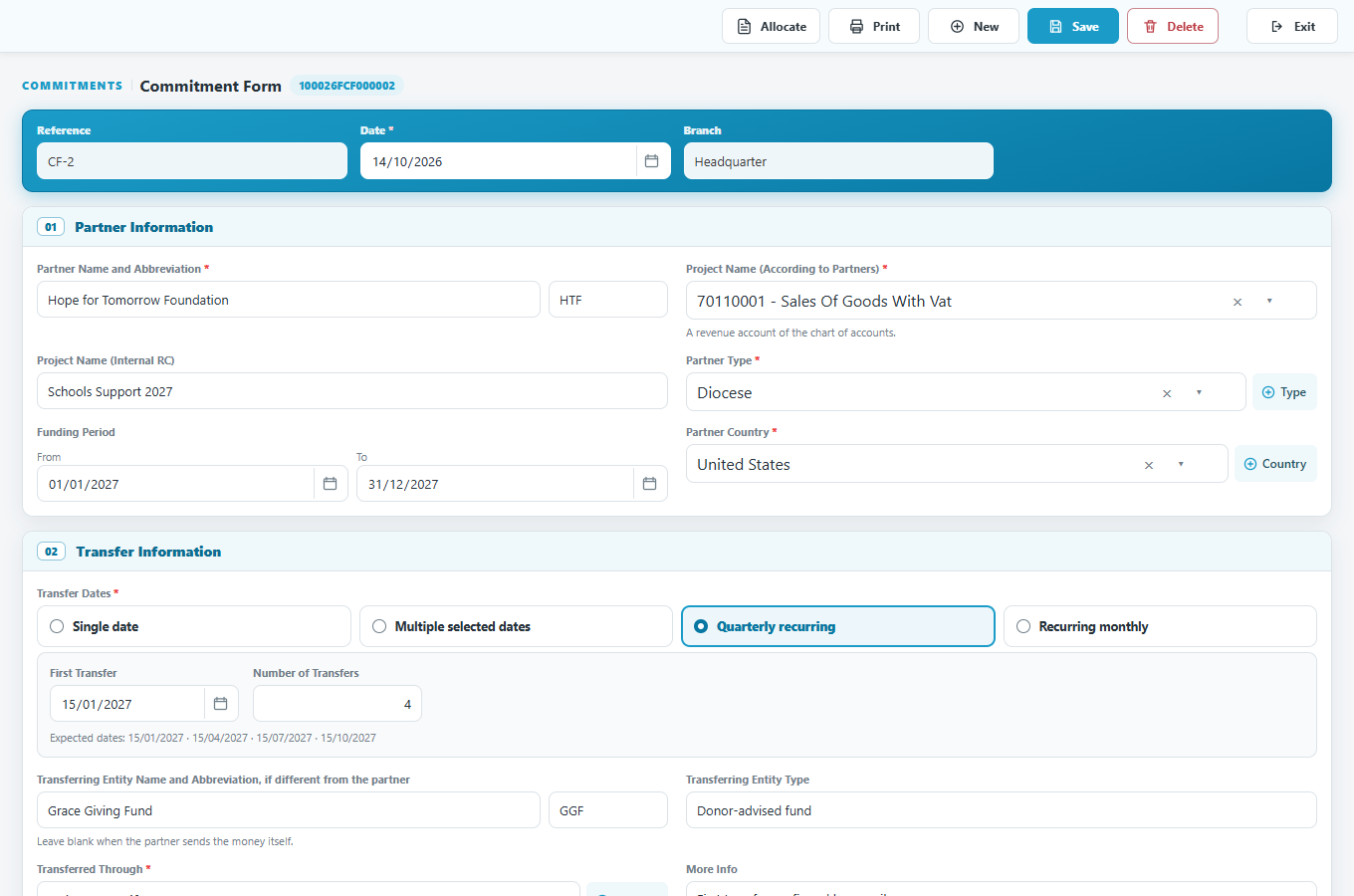
Record each partner's commitment once: the project, the amount, when the money comes and what the partner expects in return. BOS follows the transfers and the reports due, and spreads each grant across your business units.
- Commitment form per partner: project, funding period, total grant and currency
- Transfers on one date, on chosen dates, every quarter or every month, with the expected dates worked out
- The budget by lines, from finance, or as an attached file
- Financial reports owed to the partner, with an alert when one is due
- Each grant allocated to business units, in full or by budget line
- Commitments beside the actual figures in Profit and Loss by business unit
- Commitment reports and the printed commitment form
Stock & Inventory
From the first purchase to the last sale, BOS follows each item through your warehouses and books the accounting for you, so stock, cost and profit are always right.
- Items and services with units, sub-units, colors, sizes and packaging
- Price lists and item prices in any currency, and promotions that end by themselves after the days you choose
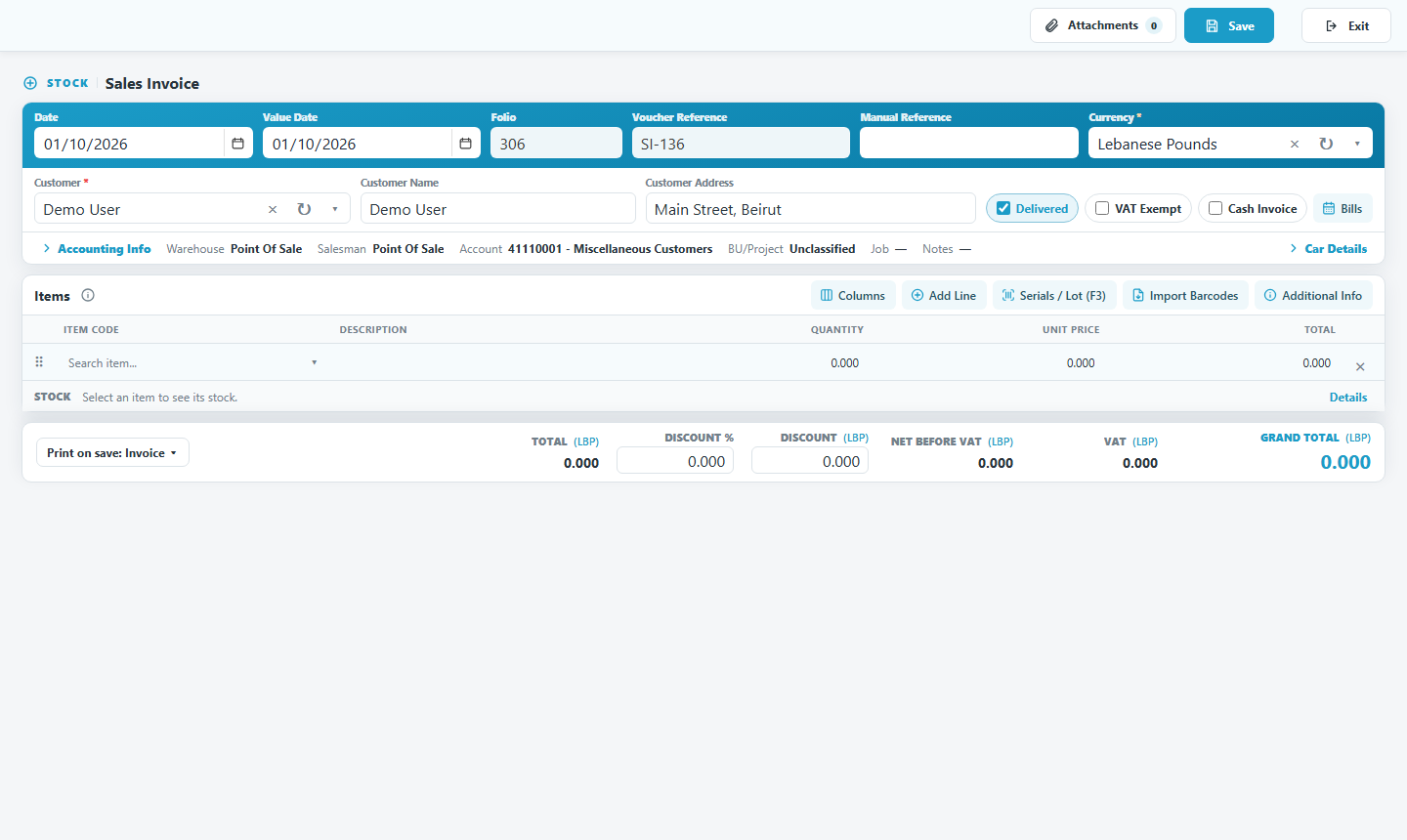
- Sales invoices with cash receipt, payment schedule and delivery note
- Sales invoices over the customer's credit limit or with a discount over the user's limit wait for approval
- Purchase invoices with customs, freight, insurance and any other expense you define, spread into the item cost
- Sales and purchase returns, delivery notes and receipt notes
- Lots and batches created on purchase and picked on sale
- Lot expiry report: the lots expiring soon and those already expired, per warehouse
- Several warehouses, transfers and stock adjustments with approval
- Stock count with a scanner or by hand: see the differences and correct the stock in one step
- Stock card, inventory quantity and valuation (average, replacement, selling price, FIFO) and profit by item
- Salesmen reports, commissions and collections
- Online shop orders from Shopify imported as sales invoices
Quotes, Orders & Requisitions
Prepare the paperwork before the sale or the purchase, follow what is still open, and turn any document into an invoice in a few clicks.
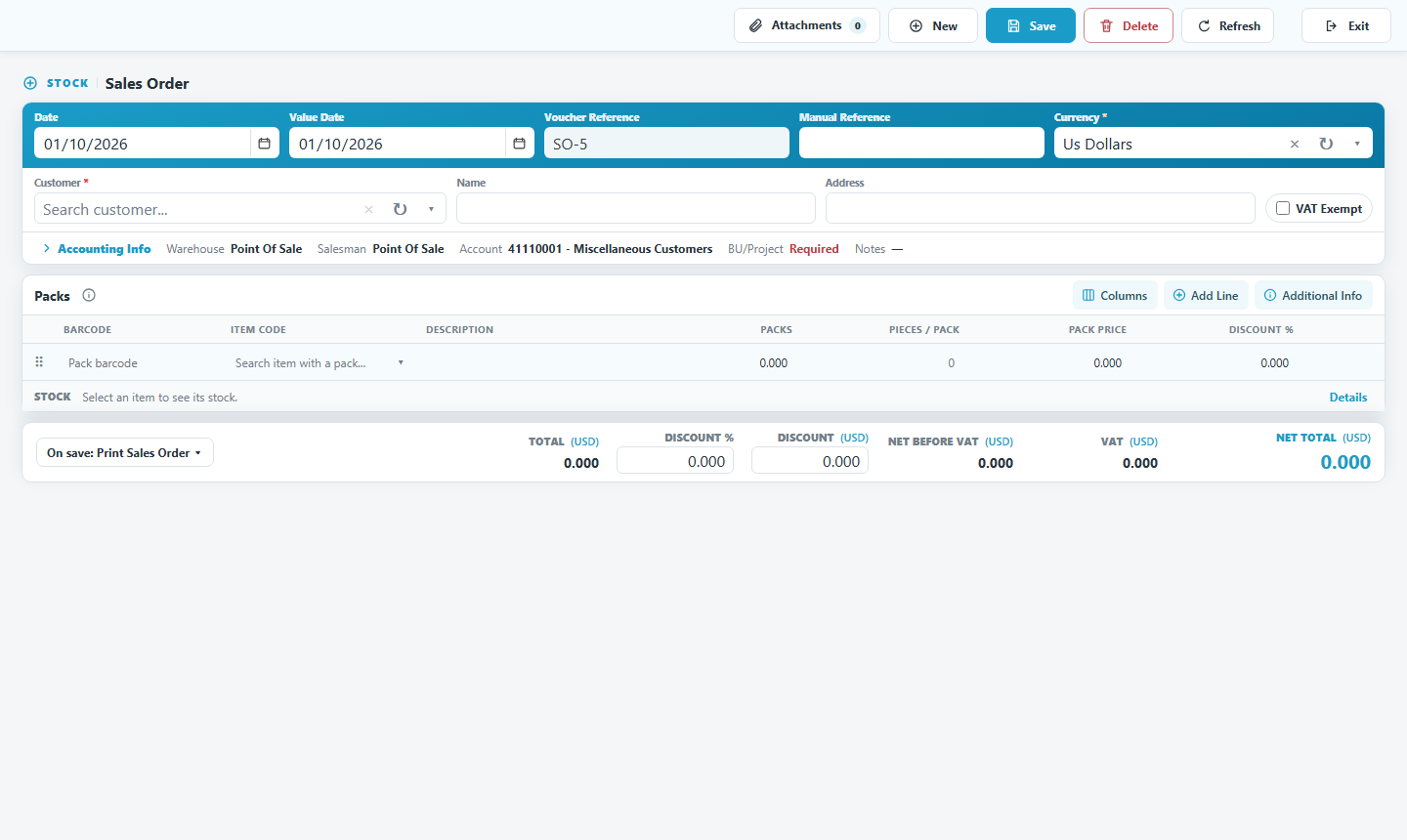
- Proforma invoices, sales confirmations and sales orders
- Quotation packs and picture catalogues grouped by model
- Purchase requisition, request, order and order receipt, with the quantities still open at each step
- Approval of purchase requests
- Suggested order quantities from each item's minimum and maximum stock
- Import requisitions from Excel
- Any quote or order can be pulled into a new invoice as its starting point
- Automatic monthly invoicing per customer, priced on the invoice date
Production
For workshops and factories that assemble or manufacture: describe once what a finished item is made of, then produce it in any quantity and let BOS move the stock.
- Formulas: the components and quantities that make one finished item
- Production runs (generations) from a formula, in any quantity
- Finished items added to stock and their components taken out in the same step
- Find, change, print or delete formulas and production runs
Point of Sale
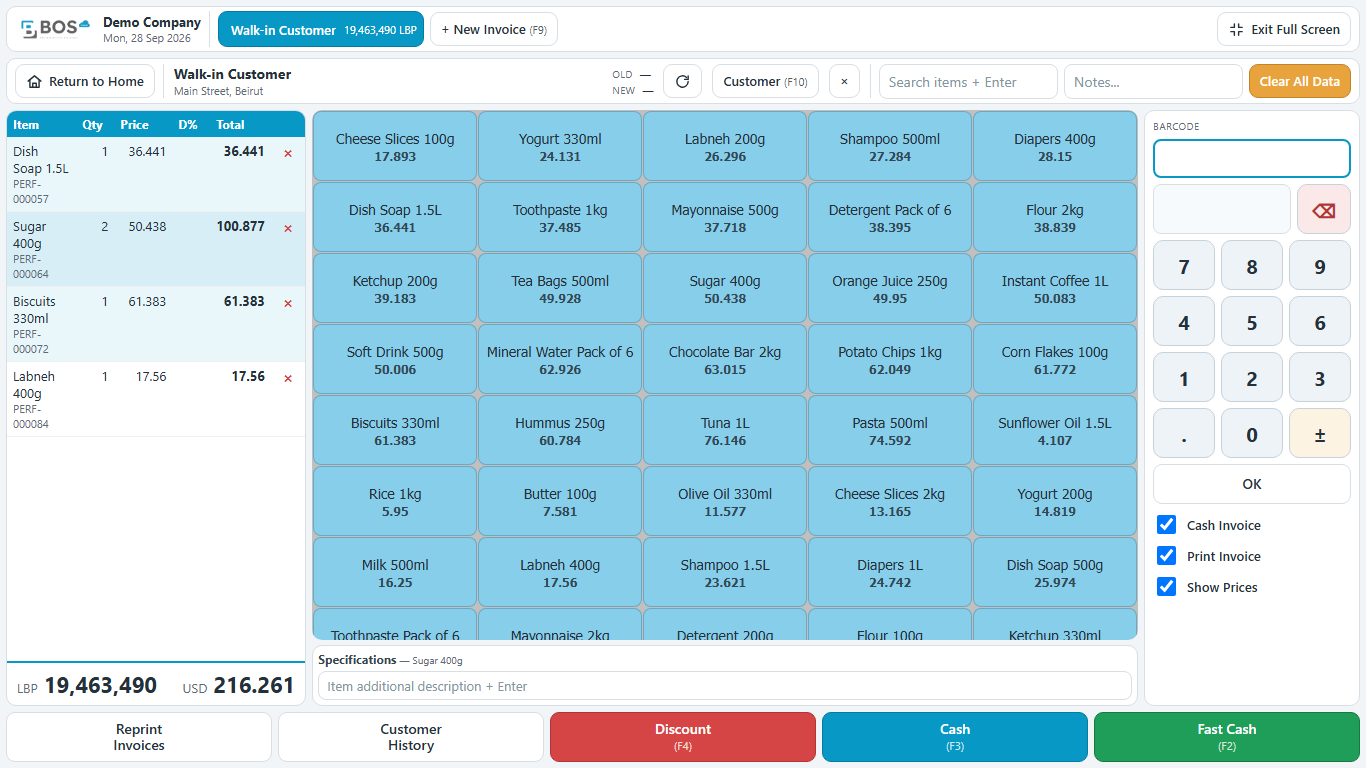
Built for busy counters: scan or tap, take the payment in one or two currencies and print, while every sale lands in stock and accounting by itself.
- Touch tiles by category, barcode scanning and weighing-scale labels
- Several customer tabs open at the same time
- Fast Cash in one key, in your main or secondary currency, or split a payment across cash, card and two currencies
- Your own payment methods, such as Whish or OMT, each with its own account; only cash gives change
- Line and invoice discounts, with change and rounding handled for you
- Cash or on-account sales, and new customers added from the till
- A sale can still be changed or deleted after it is saved, with its payment following it
- Delivery tracking: a QR code on the delivery slip, the driver's phone page, an SMS to the customer when the order is on the way, and the deliveries on a map
- 80 mm receipt, delivery copy and reprint of any past invoice, printed straight to the receipt printer with the BOS Print Agent
- Several tills selling at the same time without waiting for each other
- Price checker kiosk: customers scan an item to see its price
- POS sales reports, collections by till and by driver, and each cashier's settlement printed on the receipt printer
Loyalty Program
Bring shoppers back with a points program that runs at your till and on their phone. There are no cards to print: a shopper joins with their mobile number, earns points on every bill and pays with them next time.
- Joining with a mobile number, at the till, in the office or from the members' app
- Points earned on what was paid, shown with their value in dollars
- Points that pay part of a bill at the till, confirmed by an SMS code or the app's barcode
- A members' app under your shop's own name, logo and colours, installed on the phone
- Points that end after a time without a purchase, with a warning to the member first
- Every night the points are booked to your accounts, so what members hold is always in the books
- Each cashier's member bills checked in Points Control
Restaurant
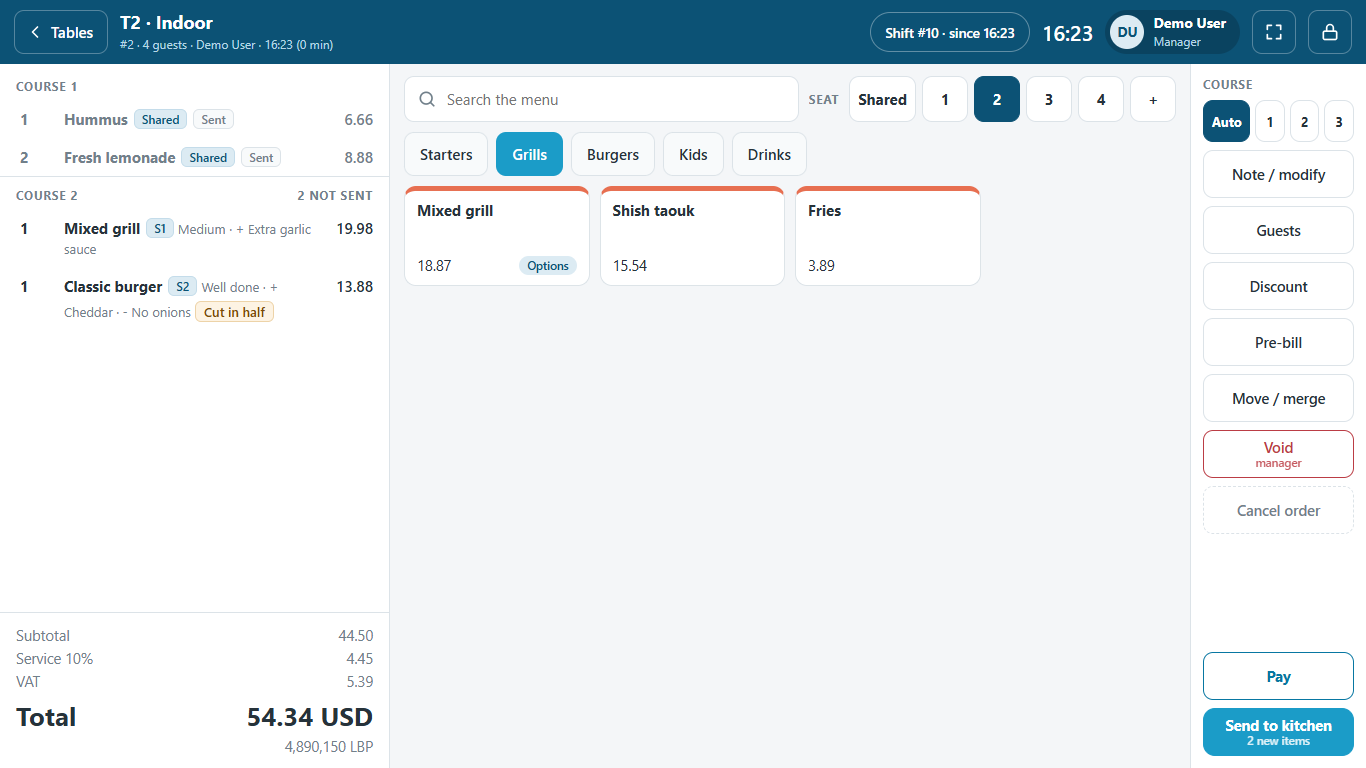
A till made for restaurants and cafés: waiters log in with their PIN, open a table on the floor plan and send the order to the kitchen. The bill is split the way the guests want, and every sale lands in stock and accounting by itself.
- Floor plan with tables and takeaway, waiters logging in with their own PIN
- Orders per table with options, notes, seats and courses
- Kitchen screen per station, with Start and Ready for each order
- Move or merge tables, and print a pre-bill
- Split the bill by seat, by item or in equal parts, in cash, by card or on a customer's account
- Service charge and tips
- Shifts: opening cash, cash in and out, drawer count and the Z report
- Menu items with options and recipes, and the food cost of each dish
- Ingredients taken out of stock once, at the shift close
- Receipts and pre-bills printed straight to the receipt printer with the BOS Print Agent
Salon
For hair, nails and beauty salons: book each service with the staff member who does it, take the payment at the end of the visit, and keep every client's history, colour formulas and photos. The money side lands in your accounts by itself.
- Appointment book with a column per staff member: book, move, check in, no-shows and blocked time
- One visit with several services and several staff members at the same time
- Processing times, so a staff member can take another client while a colour sets
- Checkout with products and tips, saved as an ordinary sale
- Tips paid to each staff member in cash at the day close
- Client card with allergies, colour formulas, before and after photos and every visit
- Reminder SMS the day before the appointment
- Several salons, each with its own staff and book
- Salon dashboard and reports: end of day, waiting time, staff performance, clients who come back and no-shows
Barcodes & Labels
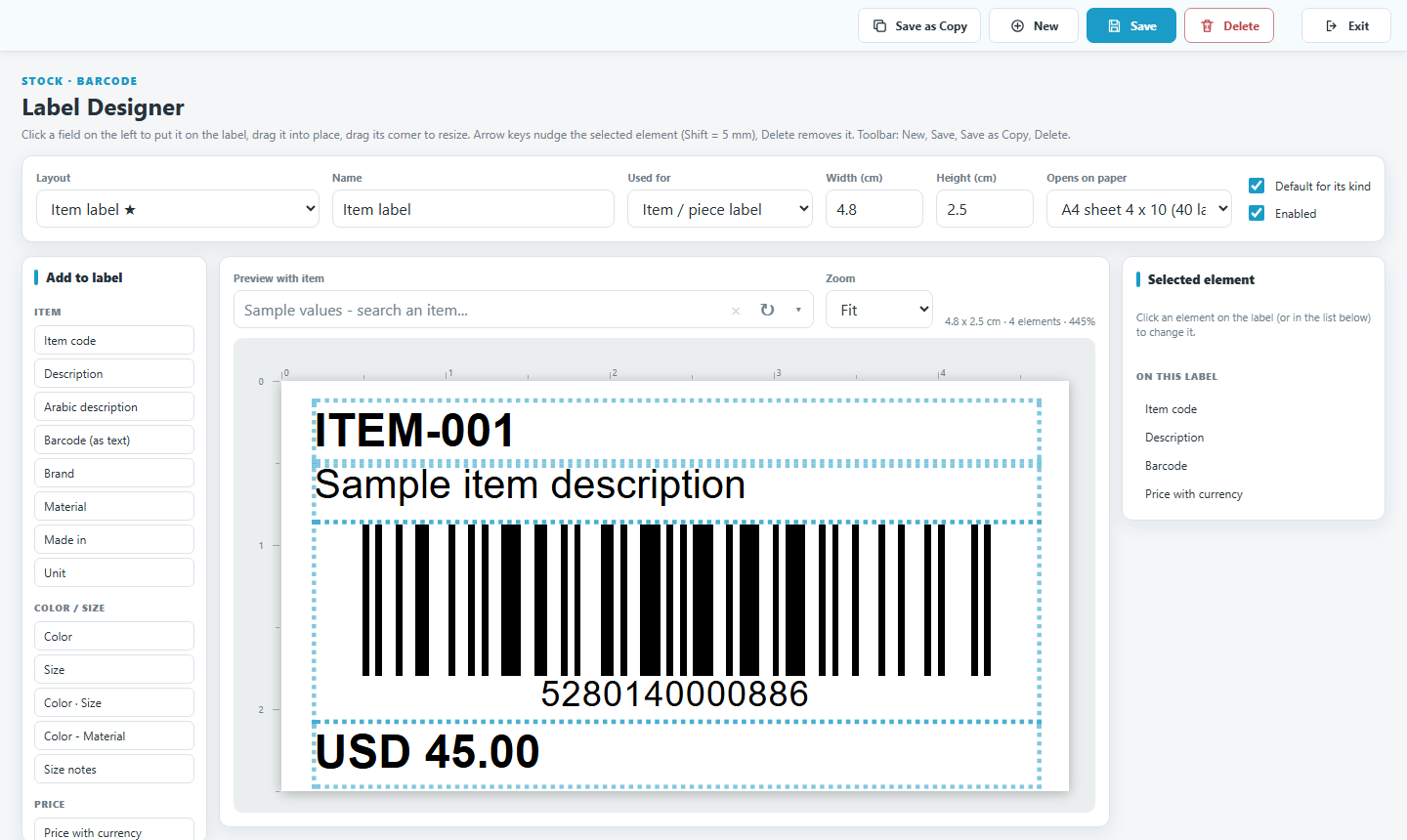
No special fonts, no extra label software: design the label once in BOS and print it on any printer.
- Label designer: place code, description, Arabic description, price, color, size and barcode where you want them
- Label papers for rolls or sheets, measured in centimetres
- Start printing on any label of a partly used sheet
- Item labels and pack labels
- Sharp barcodes at any size, read by standard scanners
- Several layouts per company, one set as the default
Payroll
Set the rules once in payroll policies, and every month BOS works out each salary, the tax, the social security and the journal entry for you, including the official forms.
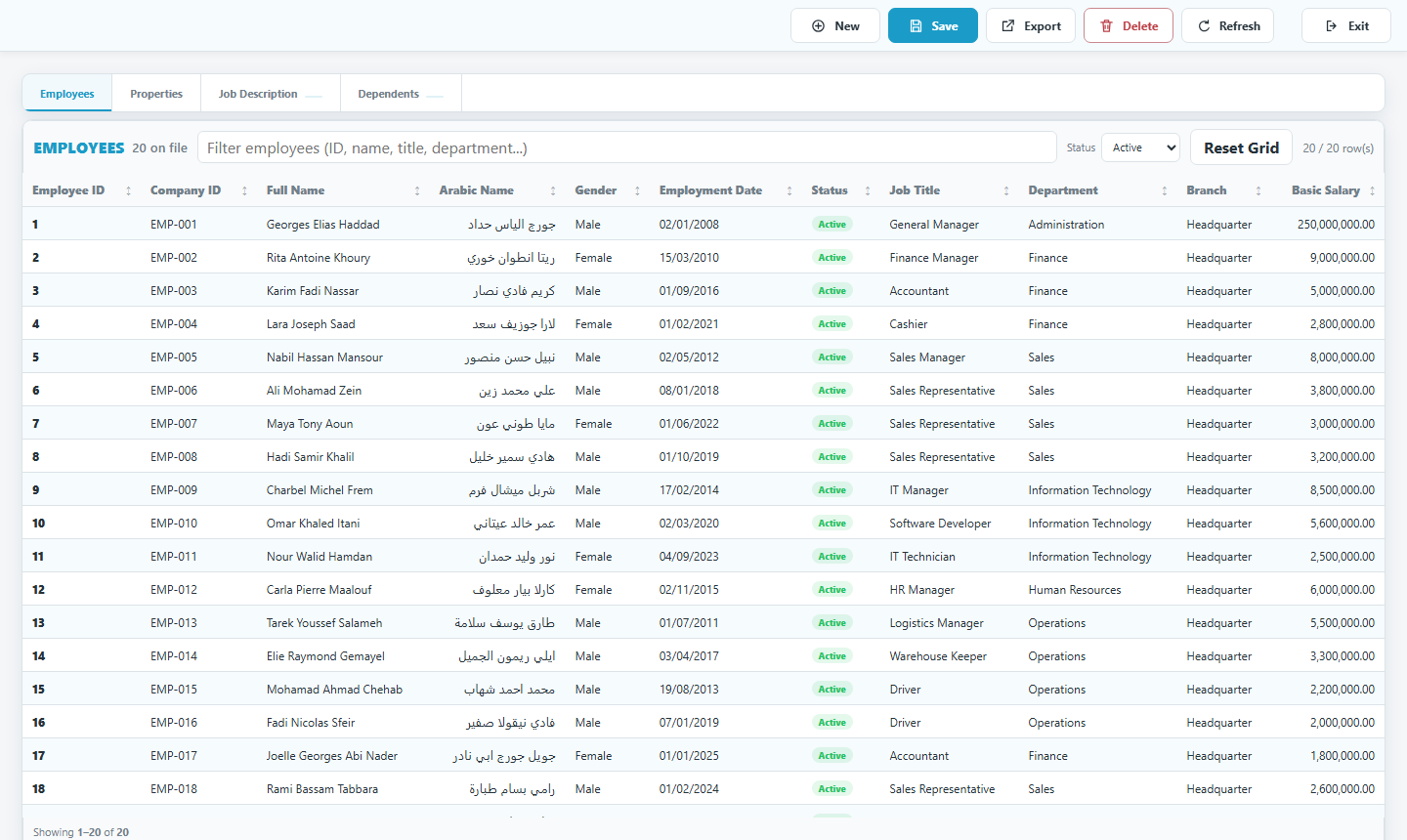
- Employees with job history, dependents and NSSF registrations
- Payroll policies: which taxes, social security rates and allowances apply to whom
- Allowances per month, per attended day or as a percentage of the basic salary
- Income tax brackets, family exemptions and NSSF ceilings
- Joiners, leavers and mid-month raises prorated by the day
- Every payroll posts a balanced journal entry to accounting
- Leave tracking: days earned, carry-over and public holidays
- Ministry of Finance forms R3, R4, R5, R6, R7 and R10, and the NSSF contributions schedule
- Pay slips, bank transfer list and payroll summaries
Human Resources
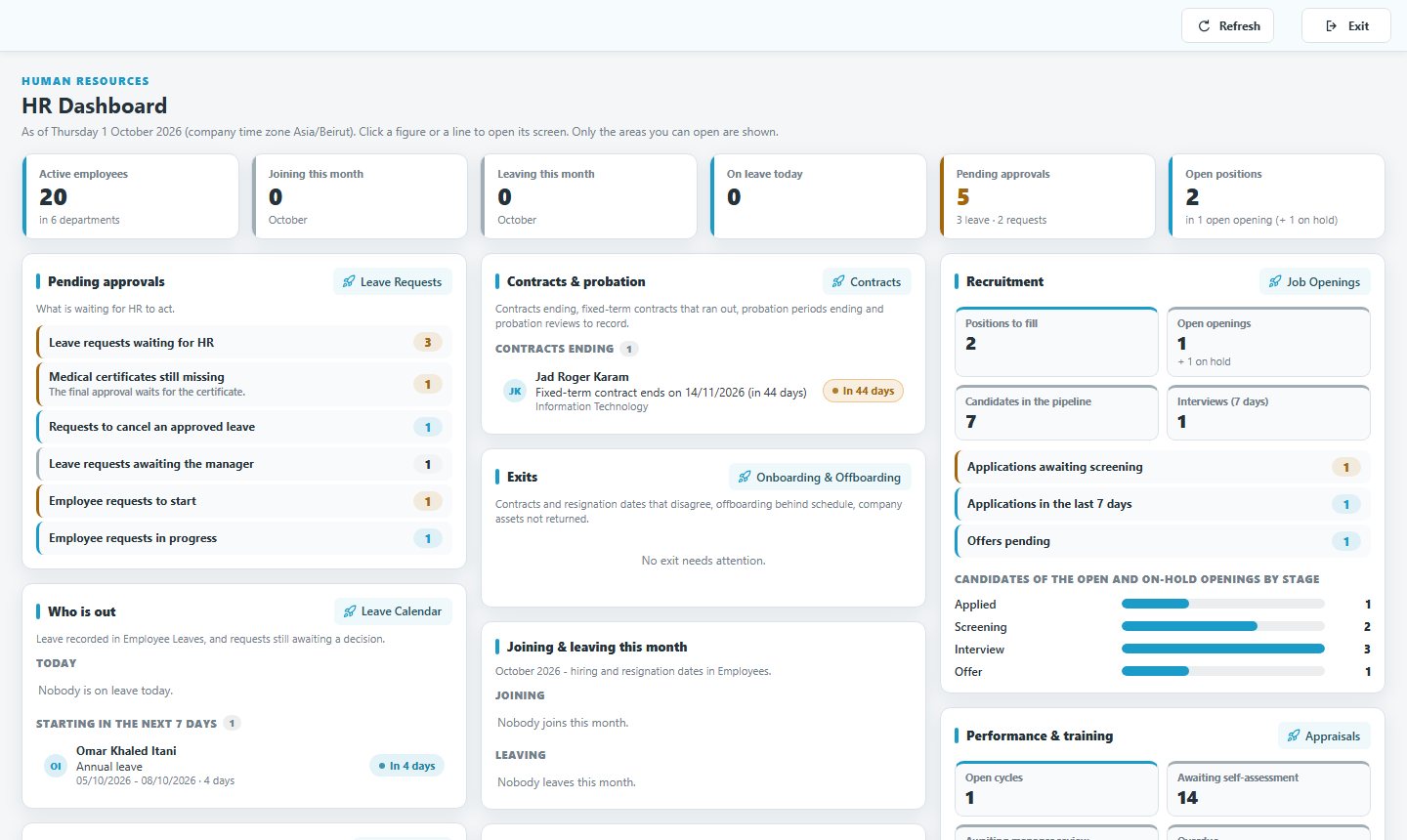
Everything about your people, from the first interview to the last working day, with the approvals, reminders and reports HR needs every day.
- HR dashboard and organization chart
- Employee file with contracts, documents and IDs (with expiry alerts) and company assets in custody
- Leave requests with an approval workflow, and a team leave calendar
- Attendance and work schedules
- Recruitment: job openings and a candidates board
- Appraisals, probation reviews and training
- Disciplinary actions, employee requests and announcements
- Onboarding and offboarding checklists
- 24 HR reports, and employment and salary certificates in English, Arabic and French
- Confidential by design: rights per screen, and salaries only for payroll users
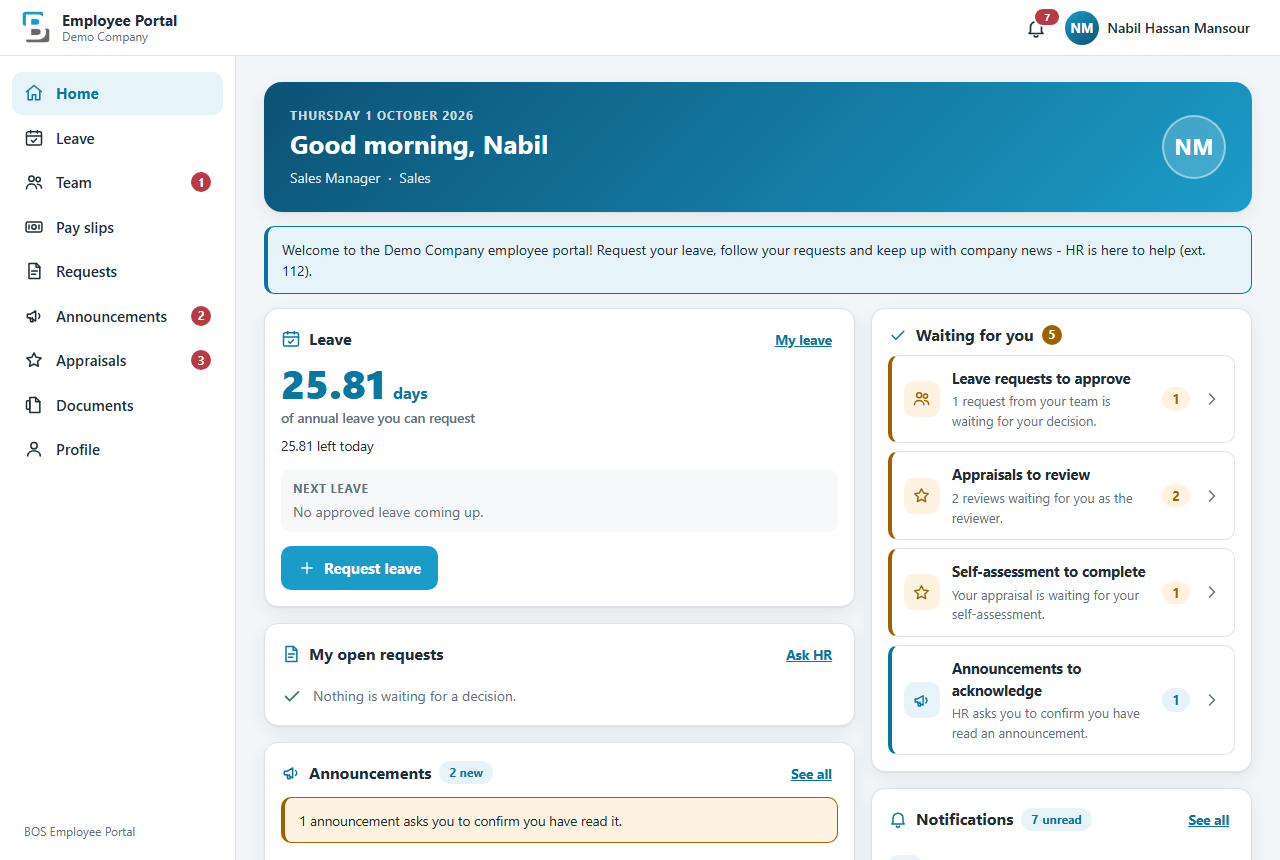
Employee Portal
A self-service website for your employees, made for the phone first. It saves HR hours of questions every week, and employees see only their own information.
- Works on any phone or computer, with nothing to install
- Leave balance and leave requests with supporting documents
- Requests to HR, such as a salary certificate, and the replies
- Pay slips published by HR, as PDF
- Announcements to read and acknowledge
- Self-assessments and appraisals
- Managers approve their team's leave
- Each employee sees only their own data, with a separate and secure sign-in
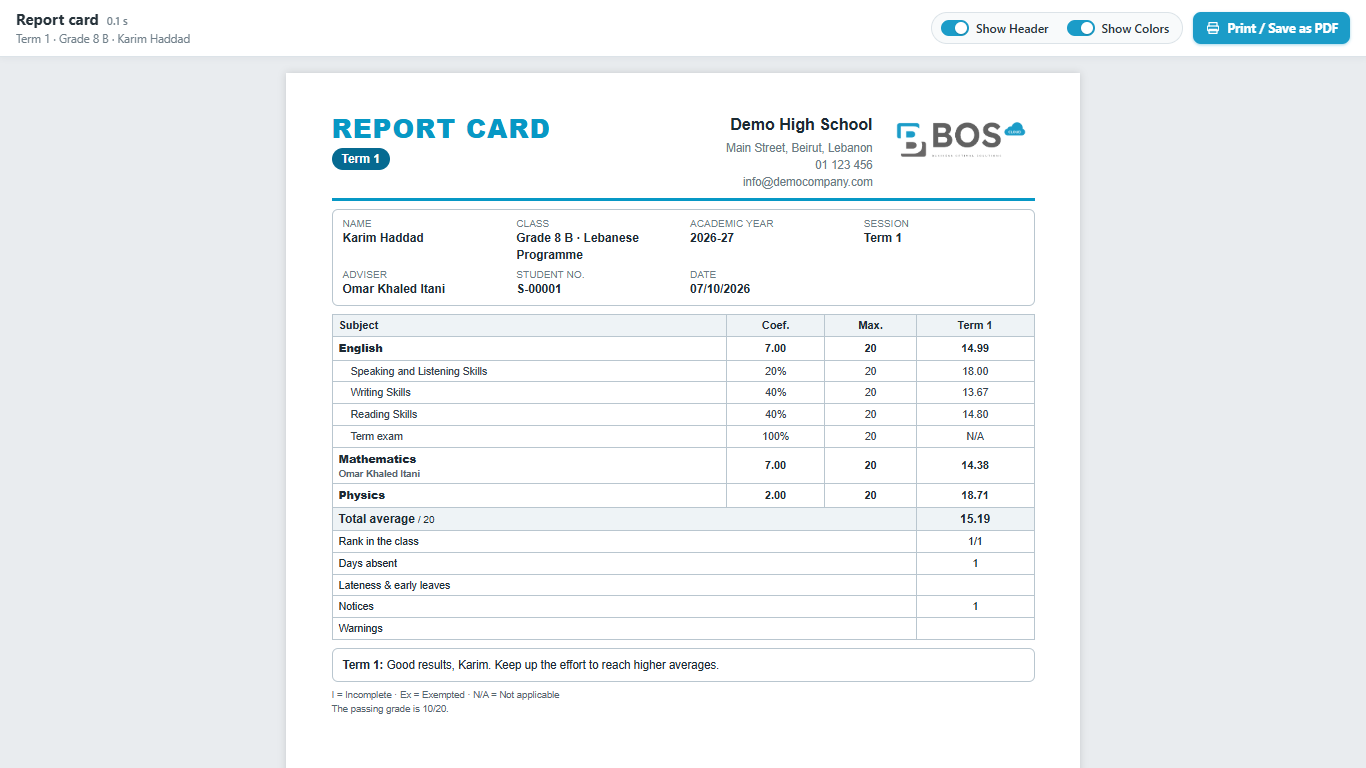
School
Made for Lebanese schools and fully linked to your accounting. The office keeps families, students, fees and grades; teachers enter attendance, homework and marks from their phone; parents follow everything from theirs.
- Families and students, with each family's account for all its children
- Fee plans per grade in LBP and USD, sibling prices, discounts and installments invoiced automatically
- Family statements and receipts in each currency, and the families to call
- Attendance by the homeroom teacher, with absence notifications to the parents
- School calendar, homework and tests with worksheets attached, and an evening summary to the parents
- Grading plans with coefficients, skills and exams, or letter grades
- Marks entered by the subject teachers, report cards published to the parents
- Behaviour: positive notes, incidents and sanctions the parents confirm they saw
- Messages between parents and teachers without sharing phone numbers, and meetings to book
- Class lists, marks analysis, honour roll, students at risk and the official exam candidates
- Timetable with bell schedules, teacher and room clashes checked, shown to teachers and parents
- The Law 515 budget: salaries and other costs, the tuition per pupil, and the printout for the Ministry
- Re-enrolment campaigns, announcements and certificates with a QR code check
- A parent portal in English, Arabic and French that installs on the phone
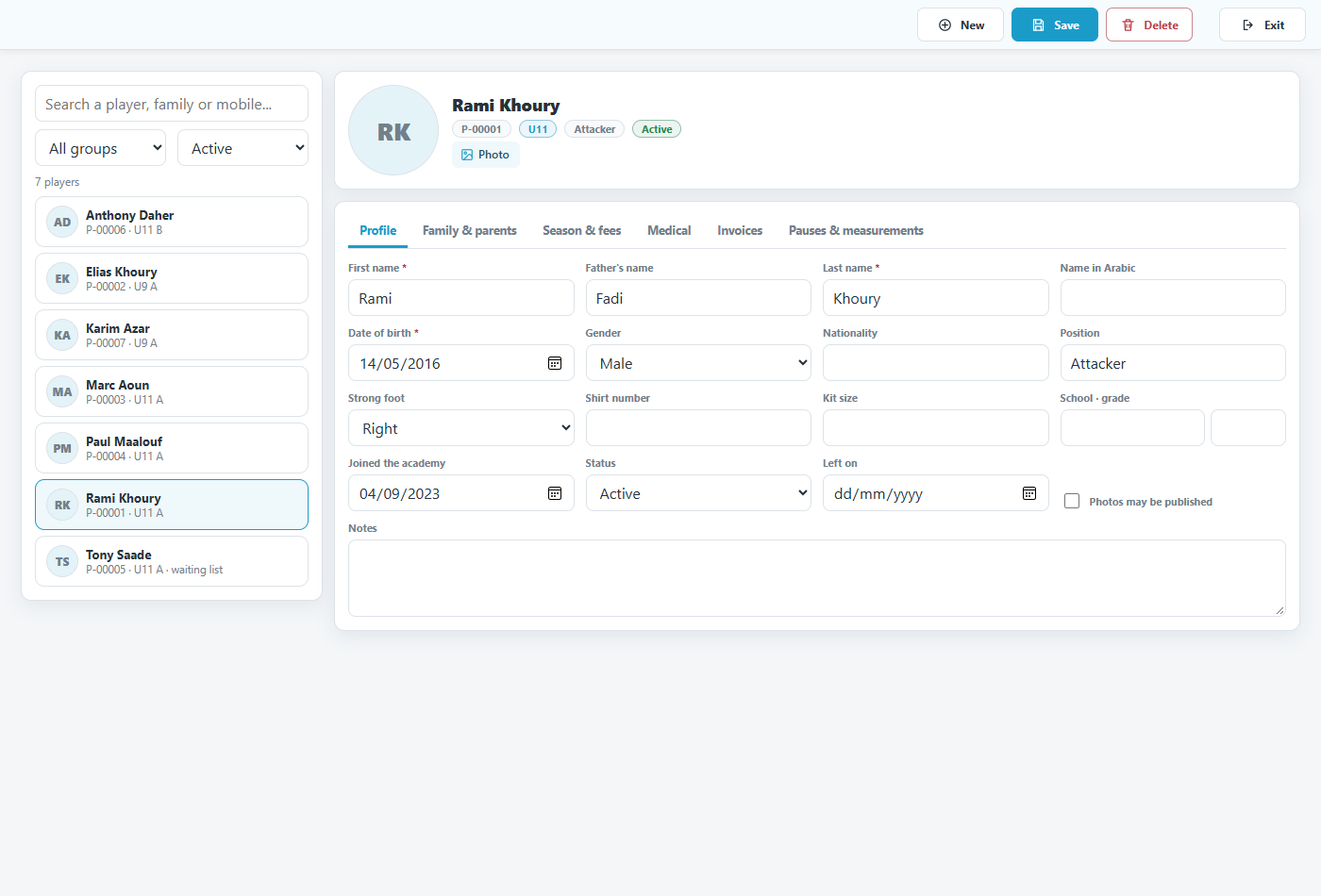
Sports Academy
Made for football academies and sports clubs. The office keeps the players, the groups and the fees; coaches take attendance and evaluate from their phone; parents follow training, matches, progress and fees from an app under your club's own name.
- Players and families, with one invoice per family each month and discounts for brothers and sisters
- Fee plans per month, per term or as a season pass, with players joining mid-month prorated
- Payment reminders by SMS, and payments collected in cash, by Whish or by card
- Locations, groups and a weekly training schedule with several coaches per session
- Attendance taken by the coaches on their phone, with parents confirming who is coming
- Match call-ups with the place on Google Maps, a match calendar and the results
- Events, camps and programs with their own fees, sessions and parents' consent
- Player evaluations with a printed report and a link for the parents
- Medical staff, medical reports and a health file the parents keep up to date
- Online registration form in steps, with your terms and conditions
- A parents' app with your club's name, logo and colours: training, matches, progress, fees, news, a shop and appointment requests
- A coaches' app with their sessions and matches, and a notification when anything changes
- Academy dashboard and reports: family dues, collections, attendance sheets and evaluation summaries
Rental
For companies that rent out land, shops, offices or apartments: register the lots, write the contracts with their payment terms, and BOS turns each term into an invoice when it is due.
- Rental lots with their cadastre, lot number, area and documents
- Contracts with the tenant, the period and the payment terms
- A warning when a lot is already rented on the same dates
- One sales invoice per payment term, generated for all contracts at once
- Taxes and fees paid on each lot, such as property tax, municipality and stamp fees
- Rental dashboard: occupancy, rent roll, billing and collection, 12-month trend and top tenants
- Reports: contracts ending soon, terms not invoiced yet and the rent falling due
- An alert when rent is ready to invoice
Electricity
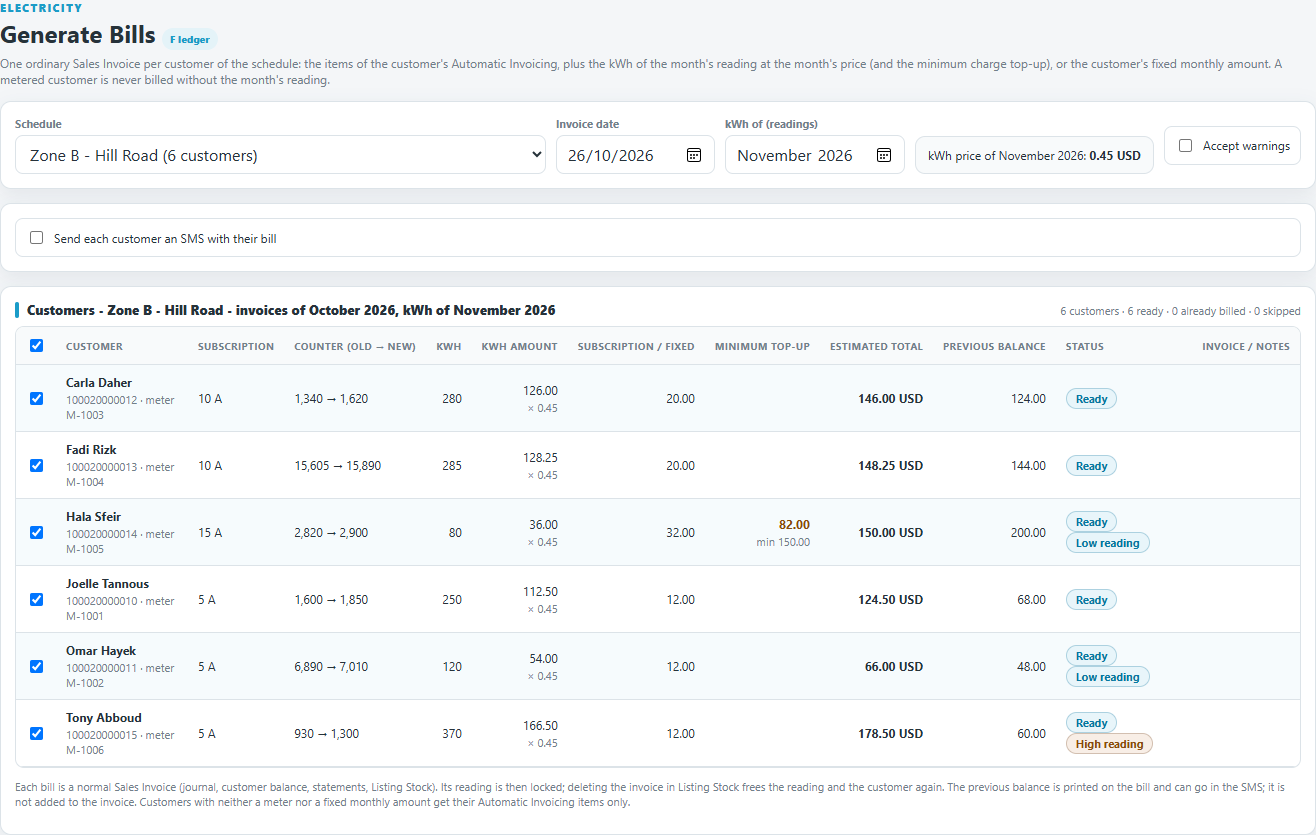
For generator owners who supply a neighbourhood. Read the meters, set the month's kWh price, and BOS makes every customer's bill as an ordinary sales invoice, prints them four to a page and follows who has paid.
- Amp subscriptions, kWh by meter at the month's price, a minimum monthly charge, or a fixed monthly amount
- Meter readings typed in the office or by the reader on a phone, with high and low readings flagged
- All the bills of a zone generated in one click, never without the month's reading
- Bills printed four per A4 page with a stub for the collector, in USD and LBP, with the previous balance
- An SMS to each customer with their bill, in English or Arabic
- Payments collected in one click, in cash or by Whish, and allocated to the bills they pay
- Payment reminders by SMS: a reminder, then a final warning
- Generators' counters and oil change reminders
- Electricity dashboard, monthly summary and the list of customers who still owe
Garage & Workshop
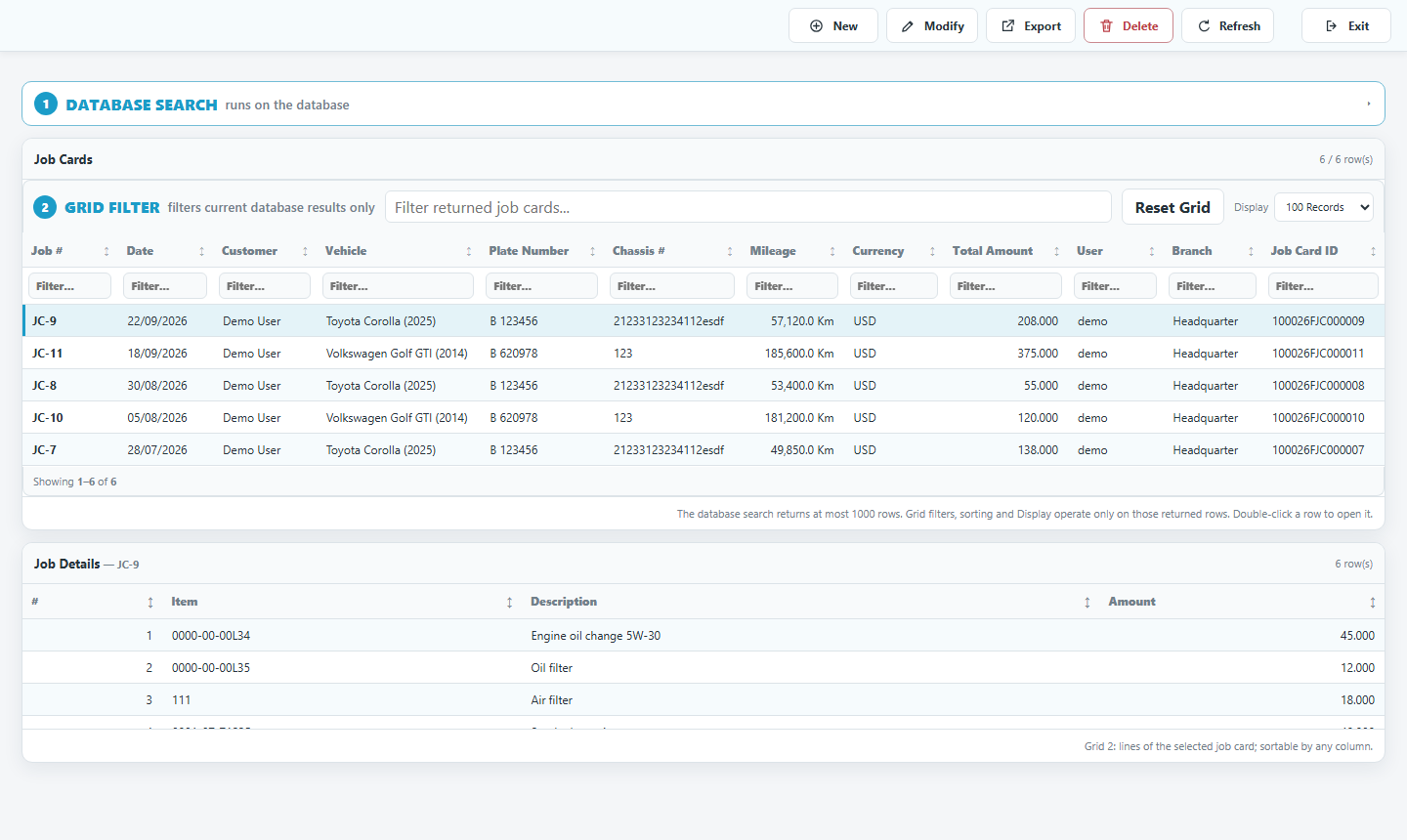
Know every car that comes in, what was done on it and what it cost, linked to the customer's account.
- Vehicle register: plate, chassis number, brand, model and owner
- Job cards with parts and services from your item list
- Odometer reading recorded at each visit
- Each job card linked to its customer and vehicle
- Search and list job cards by customer, vehicle or date
BOS App for Owners
BOS made for the owner's phone. See where the business stands at any moment, approve what waits for you from anywhere, and get told when something needs your attention. Each figure follows your BOS rights.
- Today: sales of the day and the month, what customers paid, what customers owe you and what you owe
- Approvals in one place: purchase requests, leave requests, shop orders, sales over the credit limit, discounts, payments and credit notes
- Alerts and notifications on the phone, and Tell me when rules with an evening summary
- A customer's statement of account shared as a PDF, profit and loss, the late customers to chase and the cheques falling due
- Sales, the sales team and stock
- All your companies on the same phone
- Face ID or fingerprint, and a lost phone signed out from BOS
- Installed from a QR code, with nothing to download from a store
BOS Sales for Sales Reps
Give each salesman BOS in their pocket. They see only their own customers, make invoices and collect payments at the customer's door, and everything lands in BOS at once with their name on it.
- My day: sales today and this month, money collected and to hand in, customers to call or visit
- Their own customers only, with what each owes and how late, and the nearest first
- Customer card with call, WhatsApp, map, open invoices and what the customer usually buys
- Items with the customer's price and the stock in the salesman's van and in the company
- Sales invoices with colours and sizes, from the salesman's own warehouse
- Price changes and credit limits within your approval rules
- Payments in cash, by cheque or by Whish, allocated to the invoices they pay
- Invoices and receipts shared as a PDF on WhatsApp
- Notifications when an invoice sent for approval is approved or rejected
Dashboard & Reporting
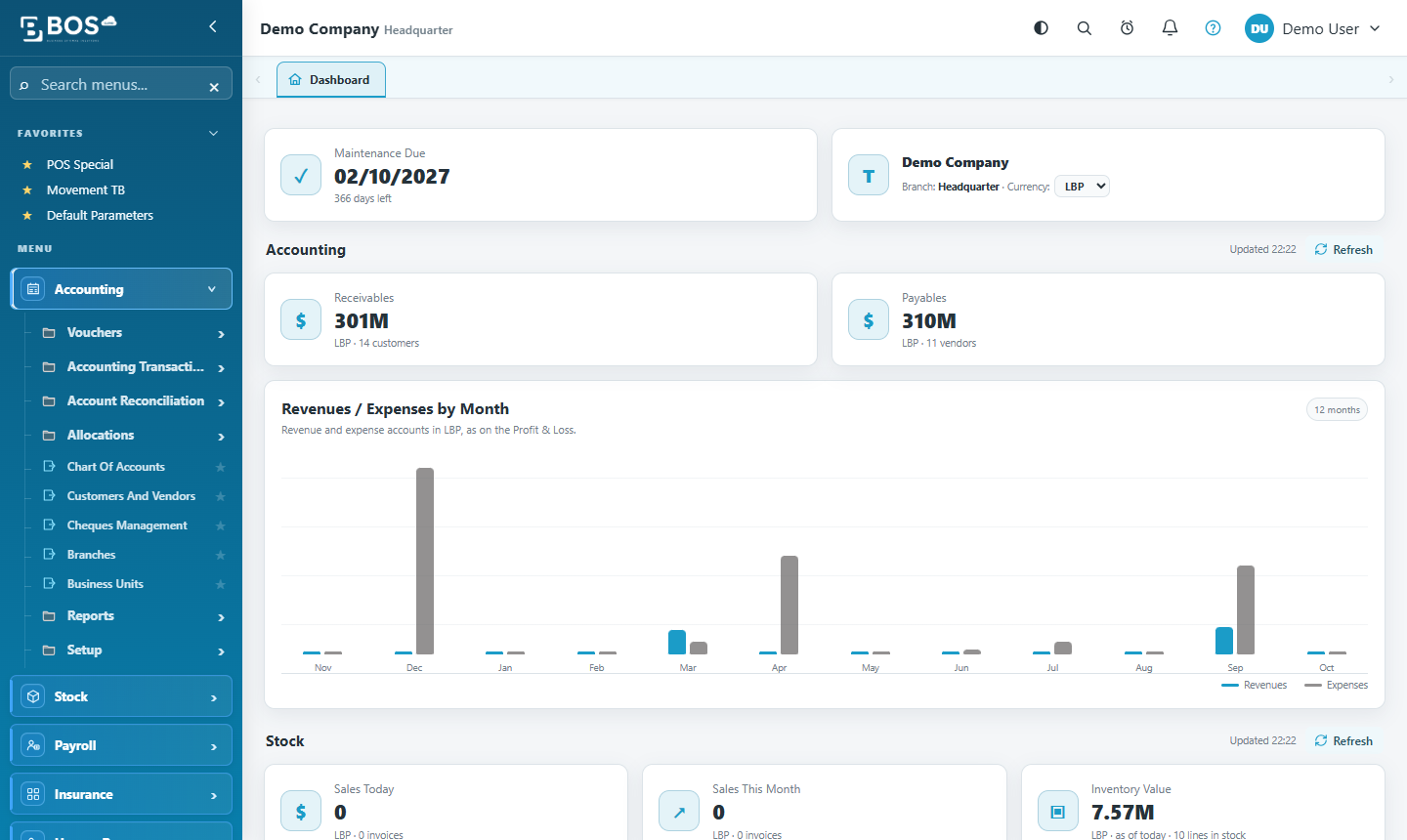
Open BOS and see where the business stands: money to collect and to pay, sales, stock value, payroll and HR, all on one page.
- Receivables, payables, and revenues and expenses by month
- Sales today and this month, inventory value, top items and top customers
- Payroll and HR figures for the people allowed to see them
- Each card shown only to users who have the rights for it
- Amounts shown in the currency you choose
- Each section shows when it was last updated, with a refresh button for the latest figures
Ask BOS - AI Assistant
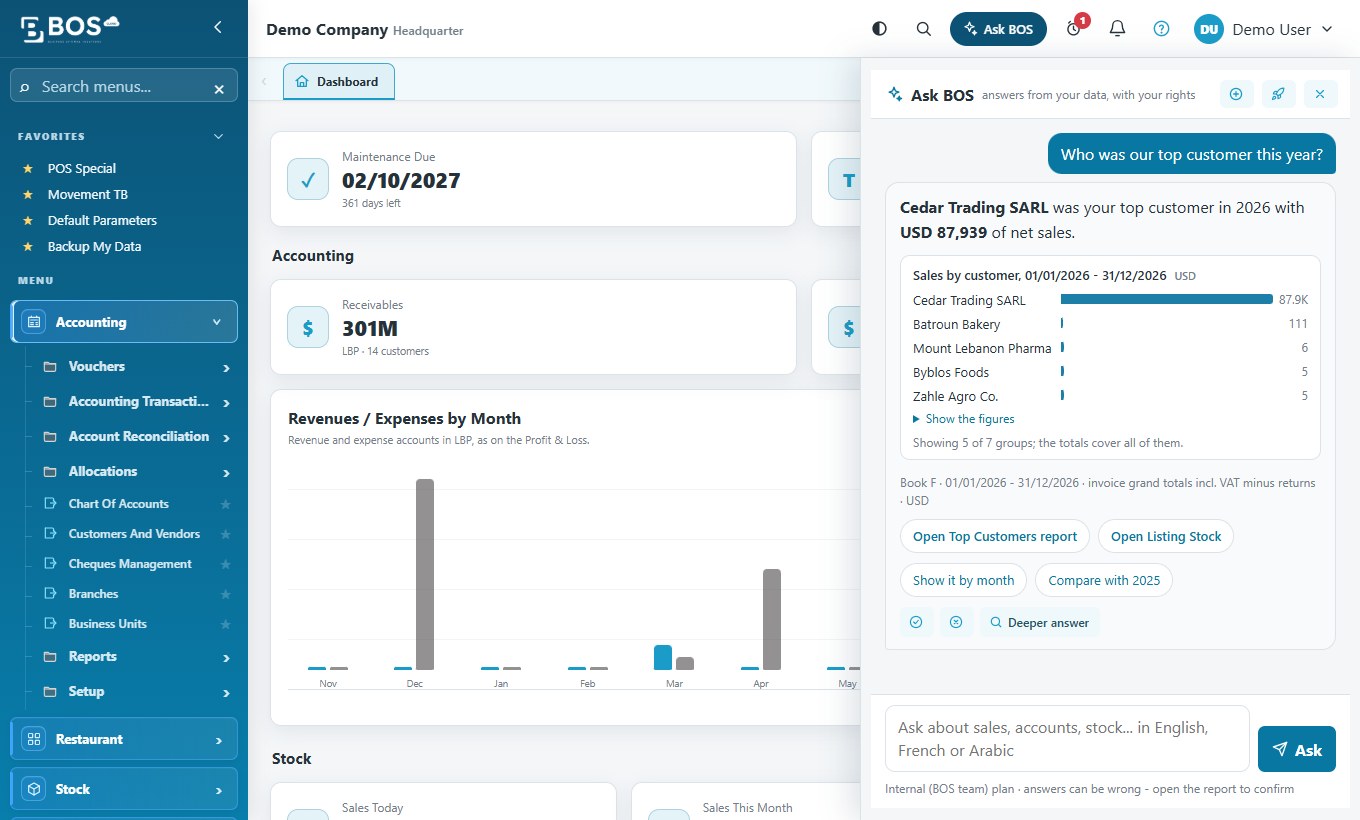
An assistant built into BOS: type a question the way you would ask your accountant, in English, French or Arabic, and Ask BOS looks up the answer in your own data, within what your user rights allow.
- Questions in your own words about sales, customers, accounts, cheques and stock
- Answers as text, a table or a chart
- Tables and charts built from your own data, not written by the AI
- Only what your user rights allow you to see, and it never changes your data
- Short commands that open a report already filled in, or an account or an item
- Commands that prepare a receipt, payment, invoice or journal voucher for you to check and save
SMS
Reach your customers where they read: their phone. Messages go out under your own sender name, each one personalised, and BOS shows what was delivered and who opened your file.
- One message to many customers, vendors, academy parents or a pasted list
- Fields filled in for each person: name, contact person, balance, company
- Templates, a preview of each message and the count of SMS it uses
- Files sent as a personal link: a price list, a menu or a flyer, with who opened it
- Any report shared by SMS as a link to its PDF
- Delivery followed for every message
- SMS packages bought online and paid by Whish
- Used by BOS itself for payment reminders, bills, deliveries and the apps
Security & Administration
Everything that keeps BOS safe and running smoothly, without needing an IT department.
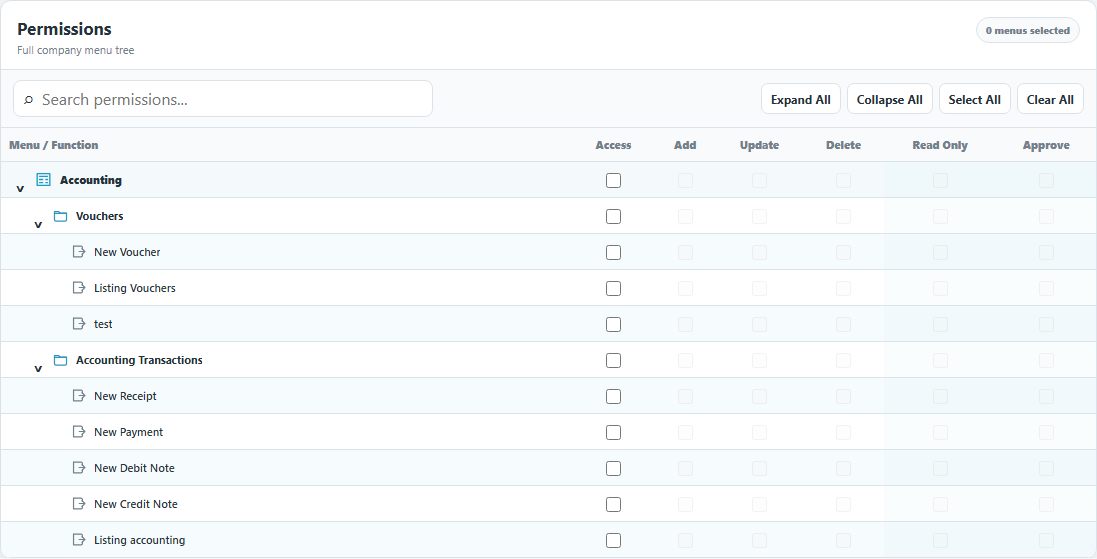
- Users and groups with rights per screen and per action
- A branch for each user, with branch switching for head office
- Approval rules: sales over the credit limit, discounts over a user's limit, and payments or credit notes over an amount wait for a manager's OK, with Face ID on the phone over an amount
- Sign-in protection: strong passwords and a lockout after repeated wrong passwords
- Encrypted database backups that you save wherever you like, and Cloud Backup: your data copied to the cloud every night
- Updates installed from inside BOS: new features without reinstalling
- A startup screen for each user, and each user's own order of the menu
- Your own e-mail account for sending reports and documents
- Restore deleted items
- Reminders with alarms, assignees and repeats, and alerts for what needs attention, such as cheques due or rent to invoice
- A built-in user guide, FAQ and video tutorials, one key away (F1)
See BOS Web with your own data
Tell us how you work and we will show you the modules that fit, in a short online or on-site demo.